
WhatsApp Business Calling
WhatsApp Solution for Incoming and Outgoing Calls
Answer customer calls on WhatsApp and call them back from the same business number. Route every call to the right team with IVR-style menus, and keep chat and voice in one conversation.
✅ Inbound and outbound on one number • ✅ IVR-style routing • ✅ Built for Pakistan
FEATURES
Everything you need to handle WhatsApp calls at scale
From the first ring to the post-call report, every WhatsApp voice call runs through one platform your agents already use.
Incoming WhatsApp calls
Customers tap the call button in chat, or a click-to-call link on your website, and reach your team in seconds. No number to dial and no app to switch.
Outgoing calls with consent
Ask for permission inside the chat, then call from your verified business number once the customer agrees. It follows WhatsApp’s calling rules, so your number stays in good standing.
Omnichannel agent desktop
WhatsApp calls sit beside your other channels as one line in the same console. Agents handle every conversation from a single screen.
IVR-style call routing
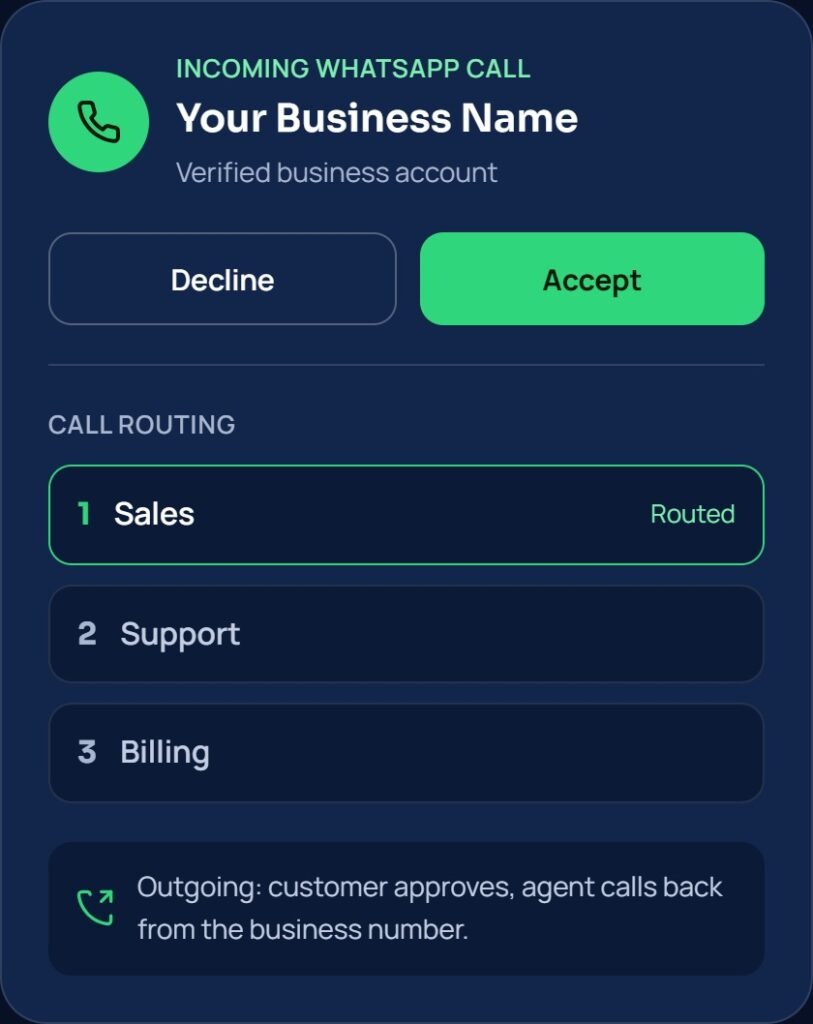
Play a menu, take the caller’s choice and send them to sales, support or billing. Reuse the flows you already run instead of rebuilding them for WhatsApp.
One thread for calls and chat
Voice calls live in the same conversation as messages. Agents see the full history before they pick up, and customers never repeat themselves.
CRM and API integration
Connect calls to your CRM, helpdesk or store backend through the API. Every call is logged against the right customer.
Queues, transfers and agent controls
Spread calls across agents and teams, transfer a live call to a colleague, and decide who can take or place calls.
Call recording and reports
Record calls for quality checks and training. Track call volume, duration and answer rates by agent and team.
Verified identity and encryption
Customers see your business name on every call, and voice calls are protected by WhatsApp’s end-to-end encryption.
TWO-WAY CALLING
How incoming and outgoing calls work
Customers can start a call whenever they need you. You can call them when they have agreed to it.
Incoming calls
Customer to business. Best for support requests, sales questions and urgent order issues. An IVR-style menu or business hours rule decides where the call goes. The call reaches the right queue and the next free agent, with chat history on screen.
Outgoing calls
Business to customer. Best for callbacks, order confirmations and booking follow-ups. The agent sends a call permission request inside the WhatsApp chat. The customer approves, and the agent calls from the verified business number. The call is logged in the same thread, with notes and outcome for the next agent.
WHO IT IS FOR
Voice on WhatsApp for teams that talk to customers all day
Call centers
Add WhatsApp as a voice channel without a second system. Keep the queues, skills and reporting your supervisors already use.
Ecommerce
Let buyers call about an order from the same chat that sent the dispatch update. Confirm cash-on-delivery orders and sort out delivery problems by voice.
Hotels
Take booking and guest-service calls on WhatsApp, route them by department, and follow up on the same thread after checkout.