
WhatsApp API Integration for CRM, Stores and Apps

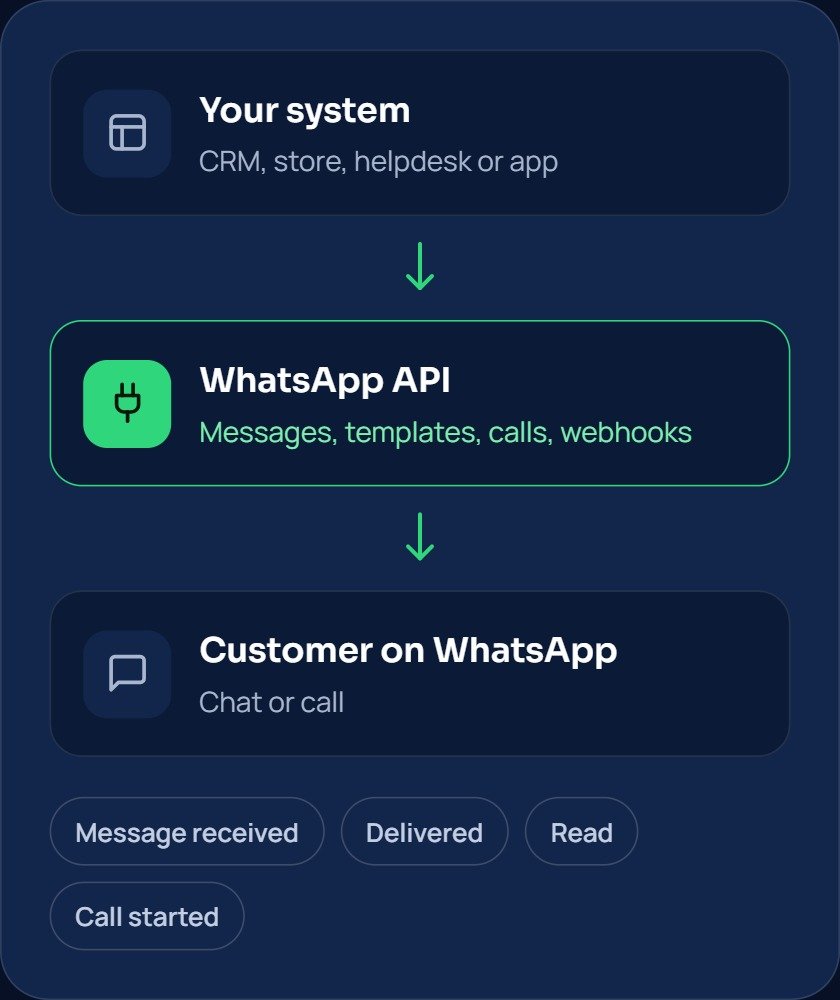
Connect WhatsApp to the systems you already use. Send and receive messages and calls through one simple API, and get every customer event sent to your software as it happens.
Book a Free Demo
WhatsApp API Integration-selection

Everything you need to connect WhatsApp to your software

One integration gives your team messages, calls and customer events, without building each piece from scratch.

Icon of a person surrounded by business symbols — dollar coin, gear, globe, and lightbulb — representing a one-platform ecosystem

Send and receive messages

Send text, images, documents and buttons, and receive customer replies in your own system through one API.

Magnifying glass over a dashboard with pie chart and bar graphs, representing market research

Approved message templates

Send order updates, appointment reminders and alerts with templates approved by WhatsApp, even when a customer has not written to you recently.

Icon of a person surrounded by business symbols — dollar coin, gear, globe, and lightbulb — representing a one-platform ecosystem

Real-time webhooks

New messages, delivery status and read receipts reach your server the moment they happen, so your software always knows what is going on.

Magnifying glass over a dashboard with pie chart and bar graphs, representing market research

WhatsApp calling

Receive and place WhatsApp calls through the same integration, with IVR-style routing to the right team.

Icon of a person surrounded by business symbols — dollar coin, gear, globe, and lightbulb — representing a one-platform ecosystem

CRM and helpdesk sync

Save contacts, chats and calls in your CRM or helpdesk, so every conversation sits with the right customer record.

Icon of a person surrounded by business symbols — dollar coin, gear, globe, and lightbulb — representing a one-platform ecosystem

Order and booking automation

Trigger messages from events in your store or booking system: order confirmed, dispatched, delivered, or a booking reminder.

Frequently asked questions

It connects your software to the WhatsApp Business Platform, so your CRM, store or app can send and receive WhatsApp messages and calls automatically.

Customers need to agree to receive your messages. After a customer writes to you, you can reply freely for 24 hours. Outside that time, you send an approved message template.

Yes. WhatsApp calling runs through the same platform. Customers can call you, and you can call them once they give permission.

If you want a custom connection, a developer or your software vendor can use our API and documentation, and our team supports them. For common tools, we can help you connect without custom code.

It depends on your systems and on WhatsApp approvals for your number and templates. After the demo, we share a clear plan with the steps.